
Proprietors often ask two questions about online fee payment: "Where does the money go?" and "What happens to parents who still prefer the bank?" Here are straight answers.
How online fee payment works
- The school bills each student (for example, ₦185,000 for First Term).
- The parent opens a secure payment link, sent by SMS or shown in the parent portal.
- The parent pays on Paystack’s checkout with a card, bank transfer or USSD.
- Paystack confirms the payment, the invoice is marked paid, and a receipt is issued straight away.
- The money settles into the school’s bank account on Paystack’s normal settlement schedule.
Where the money goes: subaccounts
Paystack lets a platform create a subaccount for each school, linked to the school’s own bank account number. When a parent pays a school’s invoice, the payment is tied to that school’s subaccount, and Paystack settles it to that school’s bank.
This matters for trust. The software company never holds the school’s fees, and the school’s bank statement shows every naira.
What it costs
Paystack charges a small transaction fee on each payment (check Paystack’s current Nigerian pricing, which is a percentage with a cap). Schools handle this in different ways: absorb it, add a small convenience charge, or include it in the fee structure.
Handling bank tellers and transfers
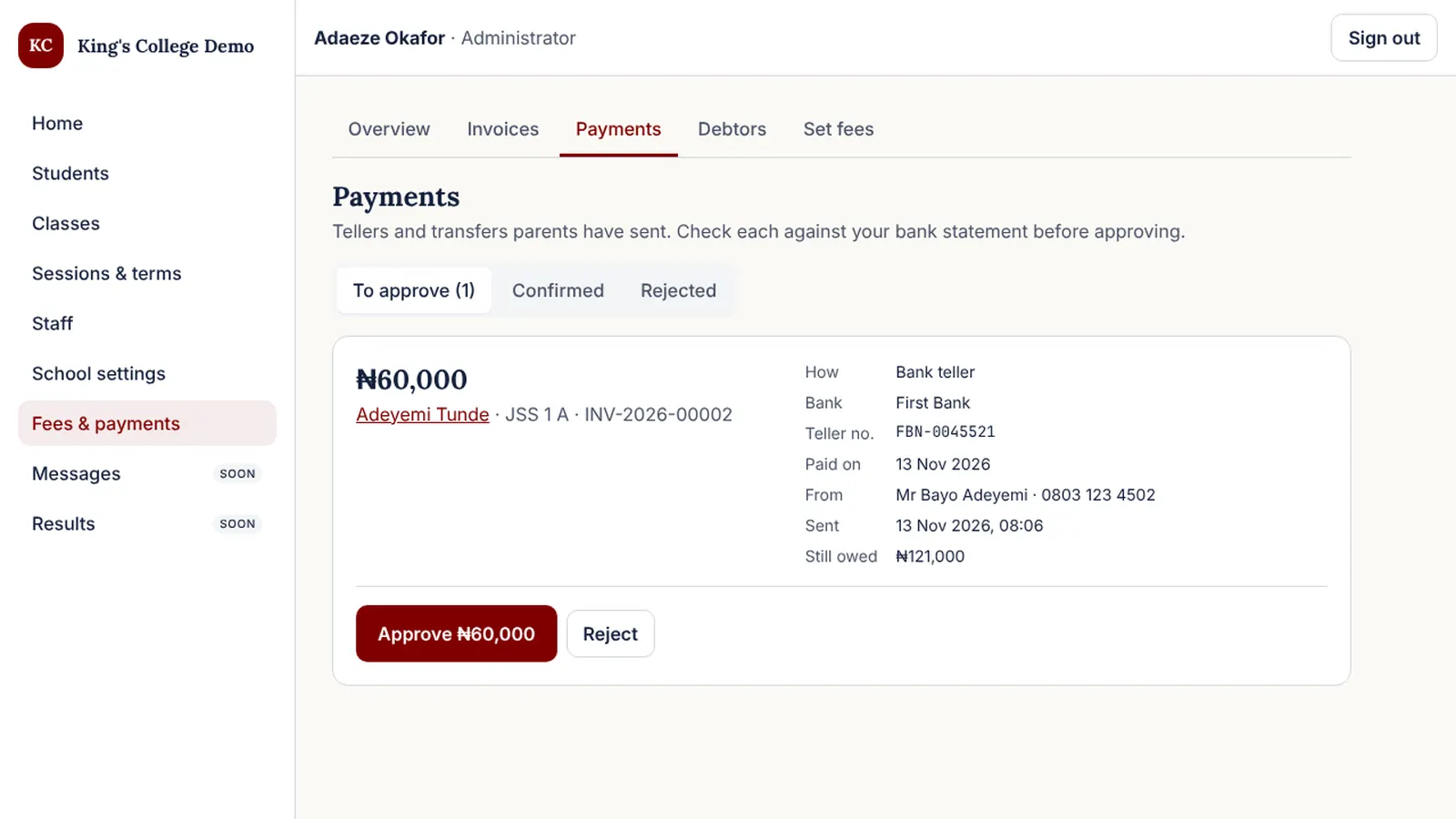
Many parents will keep paying at the bank, at least at first. That is fine. A good system treats these payments as pending until the bursar checks them:
- The parent uploads a picture of the teller or transfer receipt, with the amount and date.
- The bursar compares it with the bank statement and approves or rejects it.
- On approval, the invoice updates and the parent gets a receipt and a thank-you message.
This approval queue stops fake tellers and makes daily reconciliation a five-minute job.
Tips for a smooth switch
- Announce online payment at a PTA meeting and in a letter, with screenshots.
- Keep the bank option open for one or two terms.
- Thank early adopters publicly: "Over half of JSS 1 parents paid online this term."
- Put the payment link in every reminder so paying is one tap away.
How ComfortEdu does it
ComfortEdu uses Paystack subaccounts: your school links its bank account in settings, the account name is verified, and from then on online payments settle to you. Tellers and transfers go through an approval queue, and every payment, online or offline, gets a receipt. See fees and payments.
Common questions
Does ComfortEdu hold school fees?
No. Each school links its own bank account as a Paystack subaccount, so fees paid online settle directly into the school’s account. ComfortEdu never holds school money.
Can parents still pay at the bank?
Yes. Parents who pay by bank deposit or transfer upload their teller or receipt, and the bursar approves it after checking the bank statement. The invoice and receipt update the same way as an online payment.